Case Study
BNIDirect
Onboarding
The Challenge
Getting a business onto BNIDirect could mean registering for three different things: a Giro current account to move money through, Cash Management to manage it, and BNIDirect itself to reach both online.
Held as three separate registrations, a customer who already banked with BNI still had to declare the same company, the same representative and the same documents again for whichever pieces they were missing.
The Solution
One registration form on a conditional flow. The customer says which products they already hold, and the form drops the steps they no longer need — so the path through it is as short as their existing relationship with the bank allows.
Everything else follows from that: an eligibility gate before any details are asked for, a five-step form with bilingual field labels, and an ending that books the face-to-face meeting a corporate account still requires.
The Proposed Flow
The flow is a chain of three registrations with a check in front of each one. A customer with nothing yet walks the full path — Giro, then Cash Management, then BNIDirect. A customer who already holds all three never enters the form at all; they are finished before they start.
- No Giro account. Register the Giro account, then Cash Management, then BNIDirect — nothing can be skipped, because each one rests on the last.
- Giro but nothing else. Join the chain at Cash Management and carry on to BNIDirect.
- Giro and Cash Management. Only the BNIDirect registration is left to do.
- All three already held. The flow ends immediately rather than walking someone through a form with nothing in it.

Getting In
Two screens stand before the form itself, and both exist to save people the work of filling in something they were never going to be eligible for.
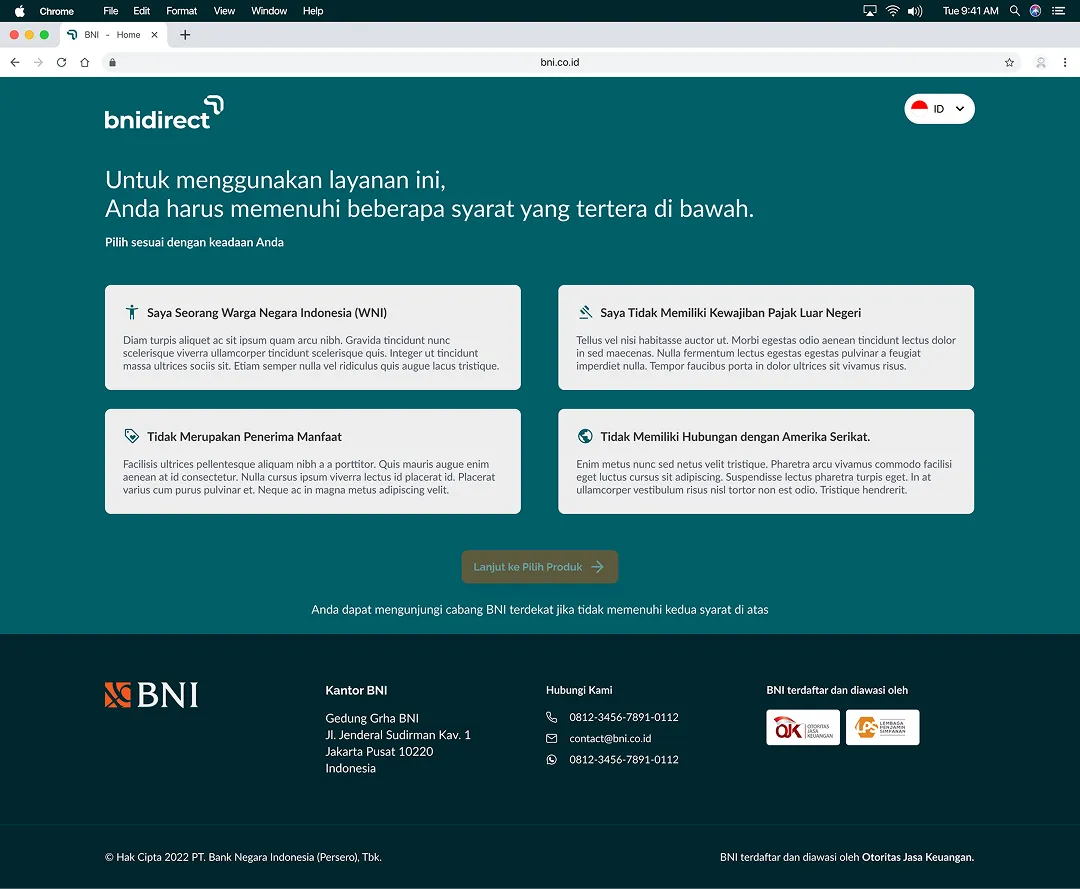
Eligibility, asked first
Corporate account opening carries conditions that have nothing to do with design — citizenship, foreign tax obligations, beneficial ownership, and any connection to the United States. They are asked up front, as four things to confirm rather than fine print to agree to, and the continue button stays disabled until they are. Anyone who cannot confirm them is pointed at their nearest branch instead of into a form that would reject them at the end.
Then: what do you already have?
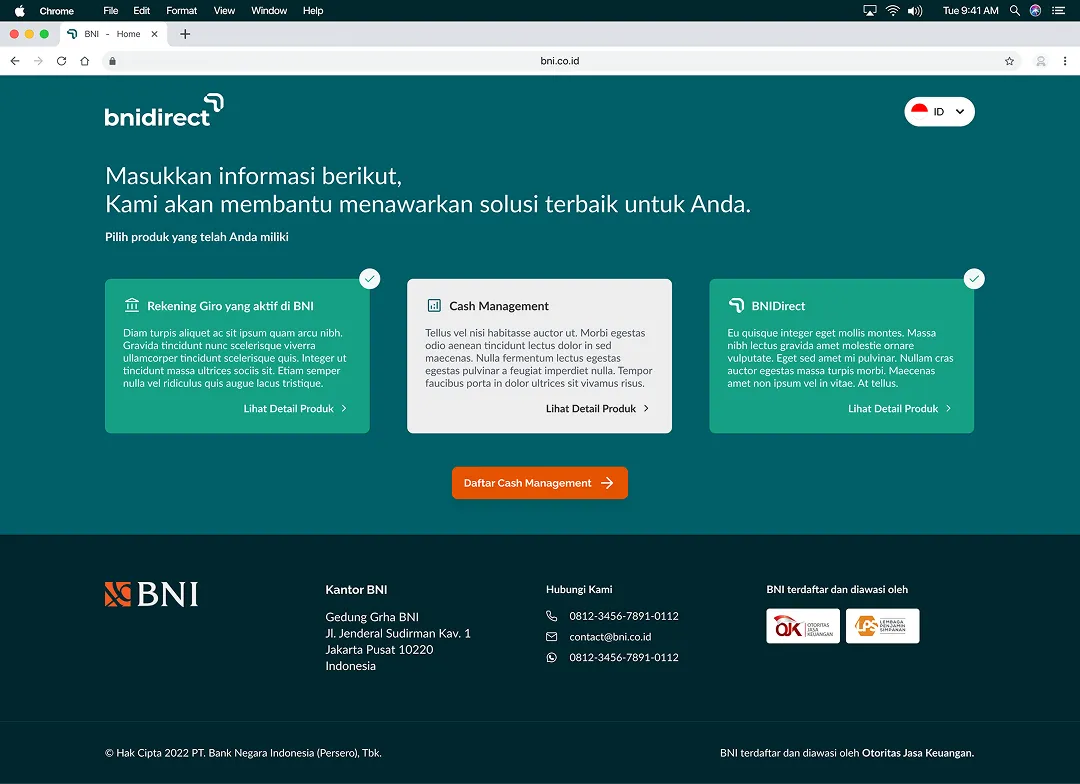
The product screen is where the flow branches. Each of the three is a card with its own detail link, and the call to action names whichever registration the answers actually lead to — so the next step is stated before it is taken.
The Form
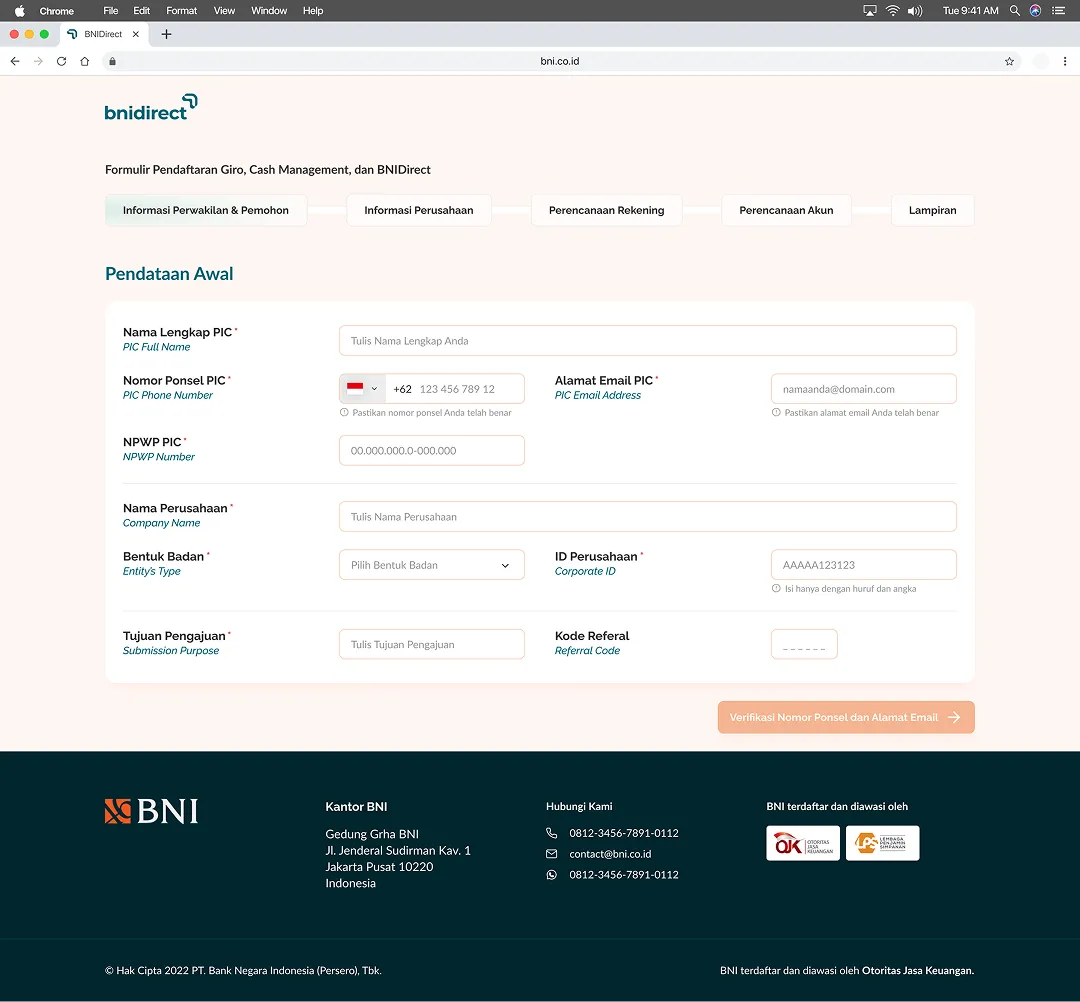
Five steps, carried across the top as a stepper so the remaining distance is always visible: representative and applicant details, company information, account planning, BNIDirect planning, and attachments.
Every field is labelled twice — Indonesian first, English underneath in italic. Corporate banking runs on terms like NPWP, WAPU and Bentuk Badan, and the second line means a finance team member and a foreign director can fill in the same form without one of them guessing.
Opening details, then a verified way to reach you
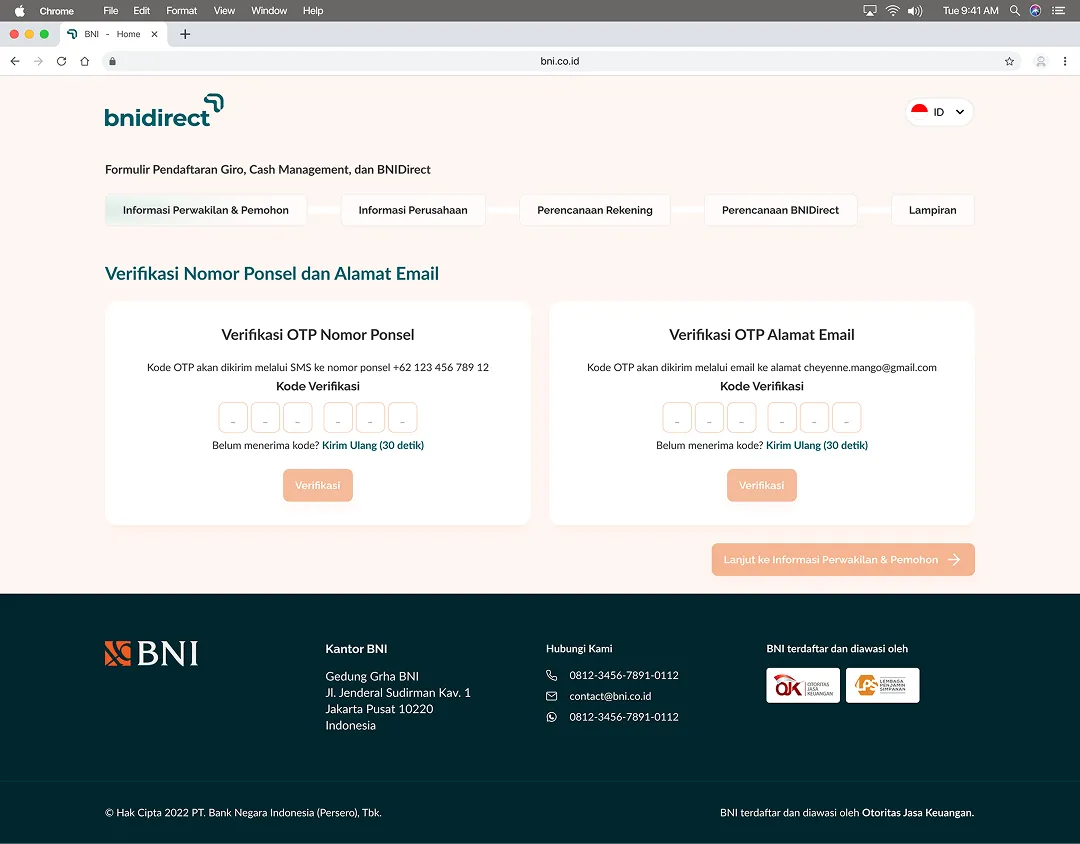
The first step collects the person in charge and the company they act for, and closes by verifying both the phone number and the email address given — a six-digit code to each, with a thirty-second resend. Everything that follows can then be sent somewhere that is known to work.
The heaviest step, sectioned
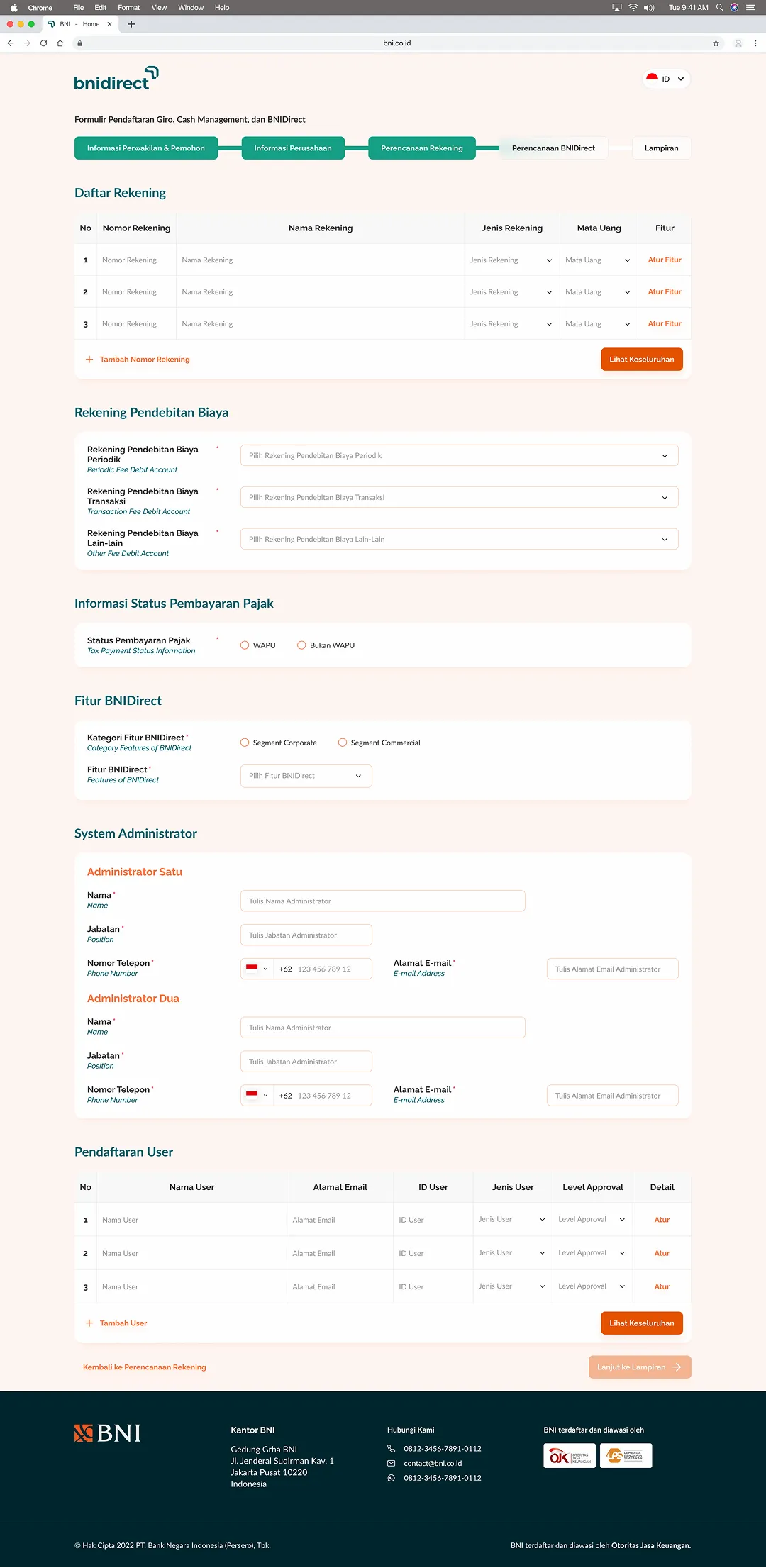
Account planning is where a corporate registration gets genuinely large: the list of accounts to be opened, three separate fee-debit accounts, tax status, which BNIDirect feature set applies, two named system administrators, and the table of users with an approval level each.
Rather than one long column of fields, it is broken into titled sections with the repeating parts — accounts, users — held in tables that grow a row at a time.
Attachments, with the blanks supplied
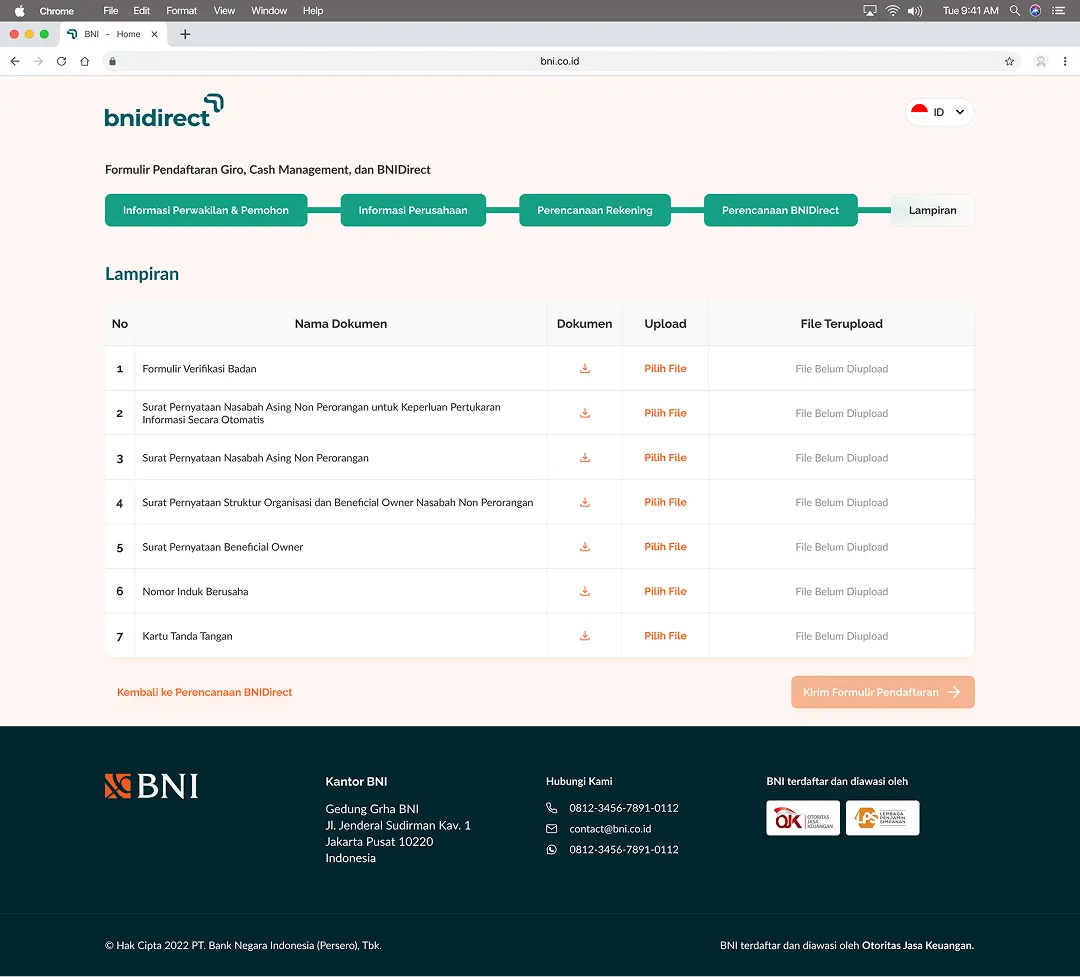
Seven documents close the form, from the entity verification form to the signature card. Each row pairs the template to download with the slot to upload it back into, and says plainly whether anything has arrived yet — so the paperwork is not a separate errand carried out somewhere else.
Handoff to a Person
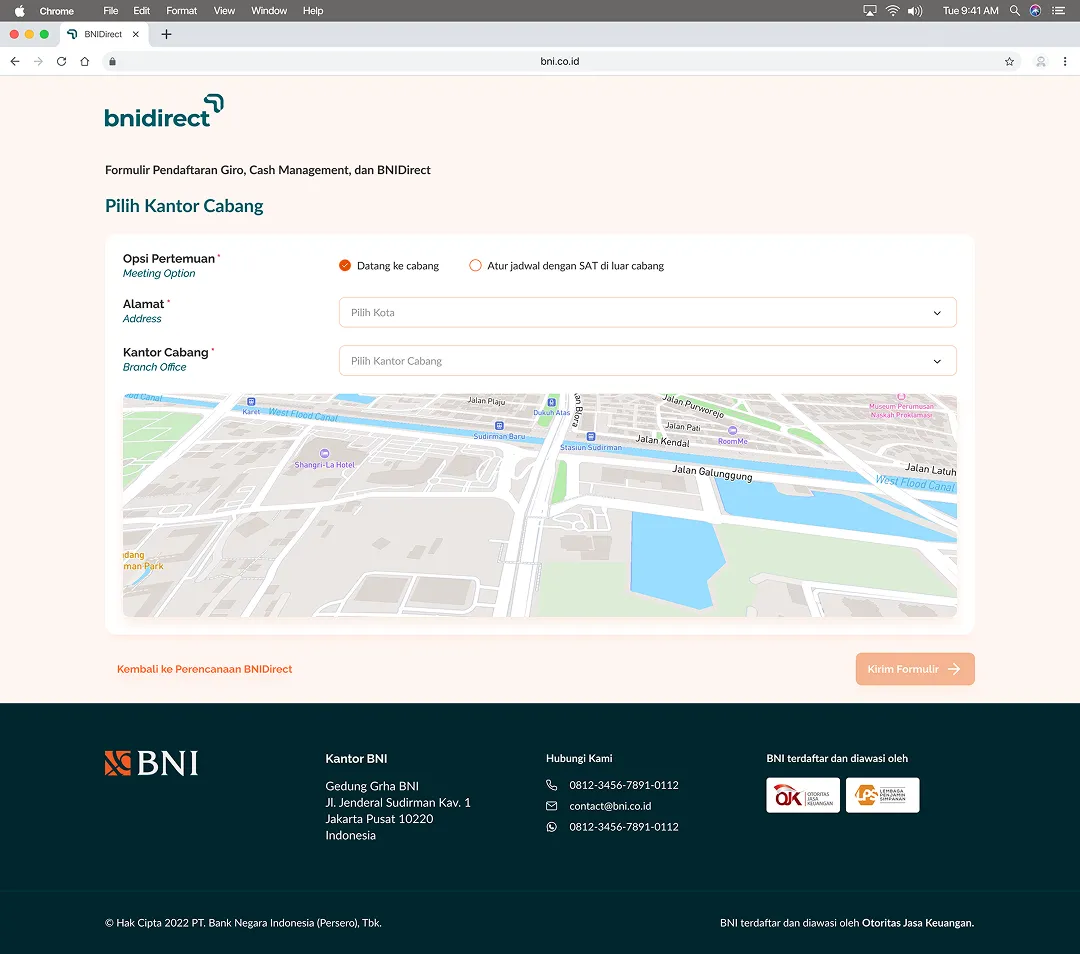
A corporate account cannot be opened entirely online, so the form ends by arranging the meeting rather than pretending it is finished. The customer either picks a branch to visit — chosen by city, with the location shown on a map — or asks the Service Action Team to come to them.
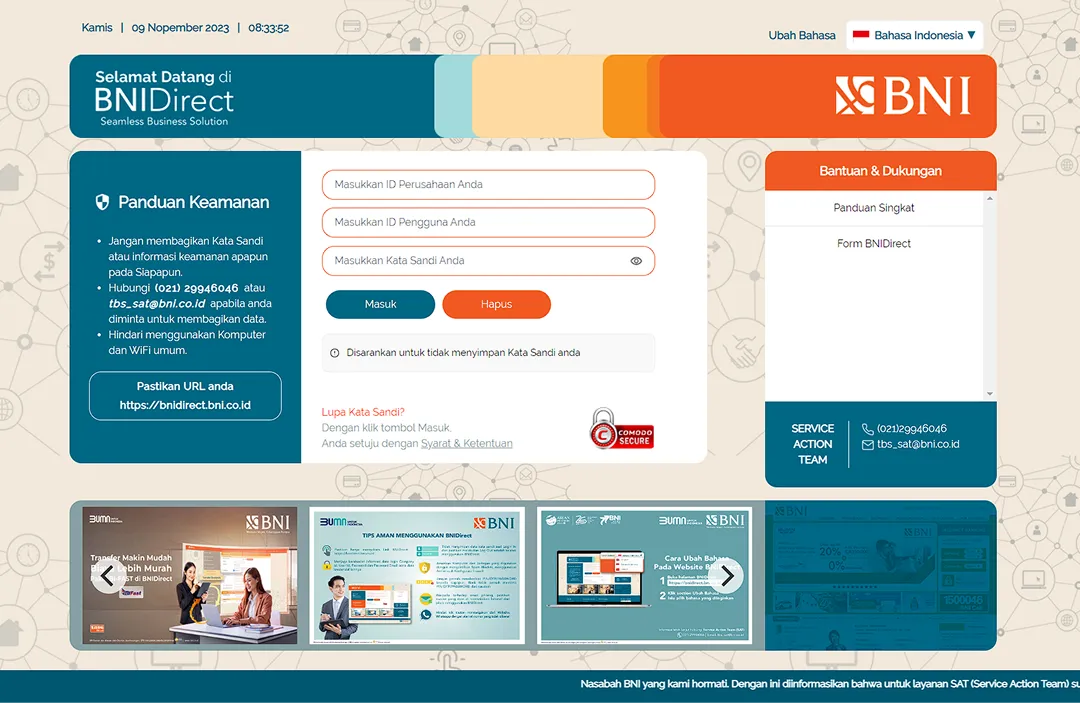
It is the same team whose number sits on the BNIDirect login page, which means the online form hands over to the people already answering for the service.